
Gain Fast, Functional, and High-Quality Photo Edits with MyPHAiTO
For our fellow photographers, achieving consistent, high-quality photo edits can often feel like the most time-consuming part of the process. With PHAiTO by your side, that struggle is over.
What’s PHAiTO? We’re so glad you asked!
PHAiTO is an AI-powered picture editing tool designed for professional photographers (like you) who want fast, customizable, and beautiful edits. That is, without the amount of time you spend in an editing cave. We’d never want you to sacrifice your unique style, which you’re known for, and PHAiTO won’t get in the way of that.
Sounds too good to be true? We know they say everything isn’t as good as it sounds. But trust us, PHAiTO is. Especially the MyPHAiTO feature of our app that allows you to personalize your style.
To help, we put together some of the most common questions we get asked about fast, high-quality photo edits from photographers using PHAiTO.
So, ready to have your mind blown about changing your editing life forever? Let’s get started.

1. How fast can I get started with PHAiTO?
Your setup takes under two minutes! Just upload your preset, answer a few prompts, and you’re ready. PHAiTO then applies your style preferences to every image automatically, delivering a customized editing pipeline from the very first upload.
2. What makes PHAiTO’s edits “high-quality”?
PHAiTO's AI was trained on over 1 million expertly edited images (no, seriously), ensuring that each edit aligns with professional standards in white balance, exposure, contrast, and more.
The result: clean, neutral colour correction that looks like it was crafted by a professional editor, only much faster.
So, your photos are edited to not only fit your professional style, but they’re also tailored to the subject, location, and lighting conditions. No over-processed images here. No batch processing. Our advanced AI ensures natural skin tones, precise colours, and pro-level toning.
3. Can I use my own style of editing?
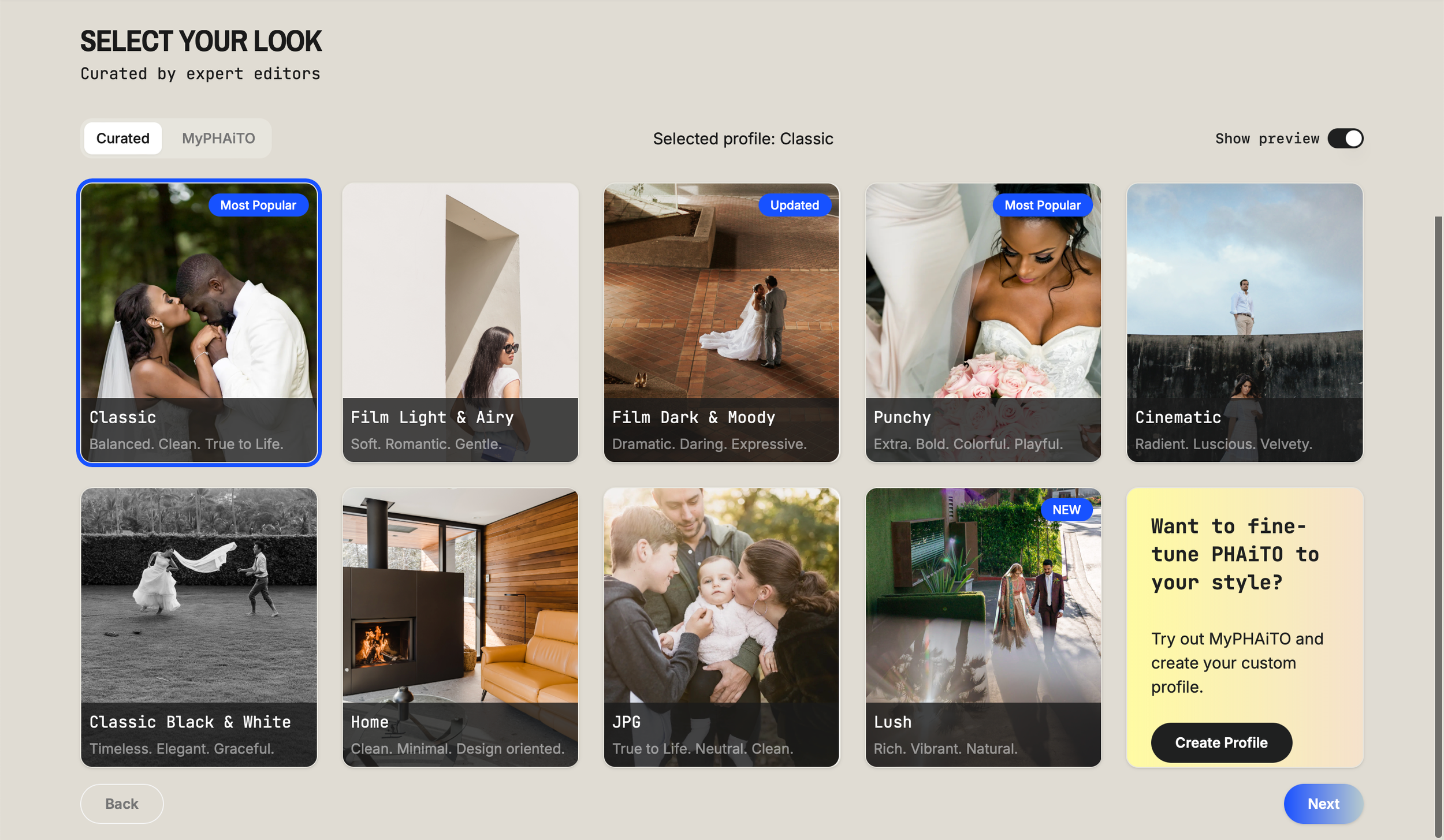
Absolutely. Start with an XMP, and you can fully customize your own PHAiTO Profile. With a single click via the “Edit” profile to refind your profile over time. You can adjust sliders, temperature, tint, and AI masks without ever leaving the app. Plus, PHAiTO lets you plug in up to three custom profiles at no extra cost, making it seamless to manage different visual styles.
4. What if I work with different types of clients? Will PHAiTO allow that?
You can save multiple profiles for different shoots (such as weddings, portraits, family sessions, and real estate) and switch between them instantly. There’s no added cost for switching looks, profiles, and each profile ensures your edits reflect the exact tone and style appropriate for each client and vision.
5. How much time can PHAiTO really save me?
PHAiTO can cut your editing time by up to 90%, with many pros reporting same‑day gallery deliveries or quick batch outputs. Each photo is processed in under a second, meaning galleries are often finished within an hour, even during peak usage times.
Results in minutes, not hours? Say less.
6. Can I fine-tune edits after AI processing?
Yes. Beyond Library mode adjustments, PHAiTO allows you to refine the temperature and tint to get whites and tones exactly how you want, as you refine your profile. You can also control the strength of AI‑generated masks per order (skin, texture, and sky) by boosting or softening local edits without manual brushing.

7. Does PHAiTO help with cropping and straightening?
PHAiTO integrates smart straightening and auto‑cropping tools that level horizons and frame subjects using established composition methods. We use our deep knowledge in photo compositions, so using the rule of thirds or centring the most important subject, while staying true to the intention of your framing. These features deliver polished composition with zero manual work.
8. How does PHAiTO integrate with Lightroom?
In one word: seamlessly.
PHAiTO is an external app that works hand in hand with Lightroom, offering an easy import and download process that takes just a few minutes to complete.

9. What if I want to adjust global looks, like contrast or warmth?
Classic profiles within PHAiTO are fully adaptable. You can elevate one of our ready-made, standard looks. For example, by adding warmth, or deeper contrast, you can save that look as a new custom profile for future orders, ensuring consistent and personalized high-quality results.
10. Is PHAiTO just about speed, or will my edits still feel personal?
Short answer: both.
Longer answer… PHAiTO is designed to deliver beautiful toning that suits the subject, location, lighting, and your style. Its goal is to make edits feel like your signature look, but in a fraction of the time, so you can refocus on what's essential: capturing incredible moments. It’s a win-win!

High-Quality Photo Edits at Your Fingertips
With PHAiTO, high-quality photo edits don’t have to be a time-consuming nightmare. That’s in your past.
Now, you don’t have to sacrifice time or style to get the edits you want.
Ready to experience the good editing life with PHAiTO? You know, without losing your mind in endless editing? Try PHAiTO now and get 1,000 edits for just $1 to start.